Portrait to performance

Image to Rap Video

Image to rap video is the shortest path from a still portrait to motion. The photo supplies identity; the prompt supplies the stage, the light and the performance. The model animates the person you uploaded instead of inventing a new artist.

This workflow is for artists with a press photo and no budget for a shoot, managers building a pitch, or anyone testing a visual direction before committing to a real production. One clear portrait is enough to start.

Clips on this page are AI-generated previews. They are fictional and not a record of a real event.

Updated 24 October 2026

A portrait of a rapper lit by a single window, source image for an AI performance clip
Length
5–12 seconds
Resolution
480p · 720p · 1080p
Aspect ratio
9:16 · 16:9 · 1:1
Watermark
None on paid renders
Model
Seedance 2.0
Moderation
SeeAPI, fail-closed

Identity comes from the photo

Faces, hair, skin tone and outfit are referenced from your image, so the result reads as the same person rather than a generic performer.

The background is rebuilt

You are not animating the original room. The prompt describes a new location and the model relights the subject inside it.

One photo, one clear action

A single performance beat is more convincing than five. The presets give the performer something specific to do with their hands and eyeline.

How it works

  1. 1

    Pick a portrait with a clear face

    Front-facing or a slight three-quarter turn, even light, eyes visible. A phone portrait against a plain wall is better than a dramatic backlit shot where the face is half shadow.

  2. 2

    Describe the performer's action

    Leaning into a microphone, gesturing to a crowd, walking into a cypher circle. Name the hands, because hands are where animation usually fails.

  3. 3

    Choose the scene and camera

    A booth close-up is the safest. A stage or rooftop adds context but asks the model to rebuild more of the world.

  4. 4

    Generate and compare at phone size

    Judge the clip in a vertical player, not full screen. If the face holds and the action reads, download it. If not, change one setting and retry.

Start from a tested prompt

Each prompt is complete: subject, scene, camera and what must not change. Copy it or open the studio with it pre-filled.

The same style of performer on a neon-lit stage, image to rap video result

Solo Booth

A close, intimate booth performance to camera.

Prompt (English)

Use the person in the uploaded photo as the only performer. A narrow recording booth at night, a large-diaphragm condenser microphone on a shock mount, warm tungsten key light from the left and a cold blue rim light from behind. The rapper leans into the mic and performs directly to camera, shoulders moving with the beat. One slow dolly-in from a medium shot to a close-up, shallow depth of field, slight handheld float. Keep the face, hair, outfit and skin tone exactly as photographed. No headphones swapping, no extra people, no text, no watermark, no logo. Vertical 9:16.

Use in studio

Night Cypher

A rooftop cypher circle under sodium lights.

Prompt (English)

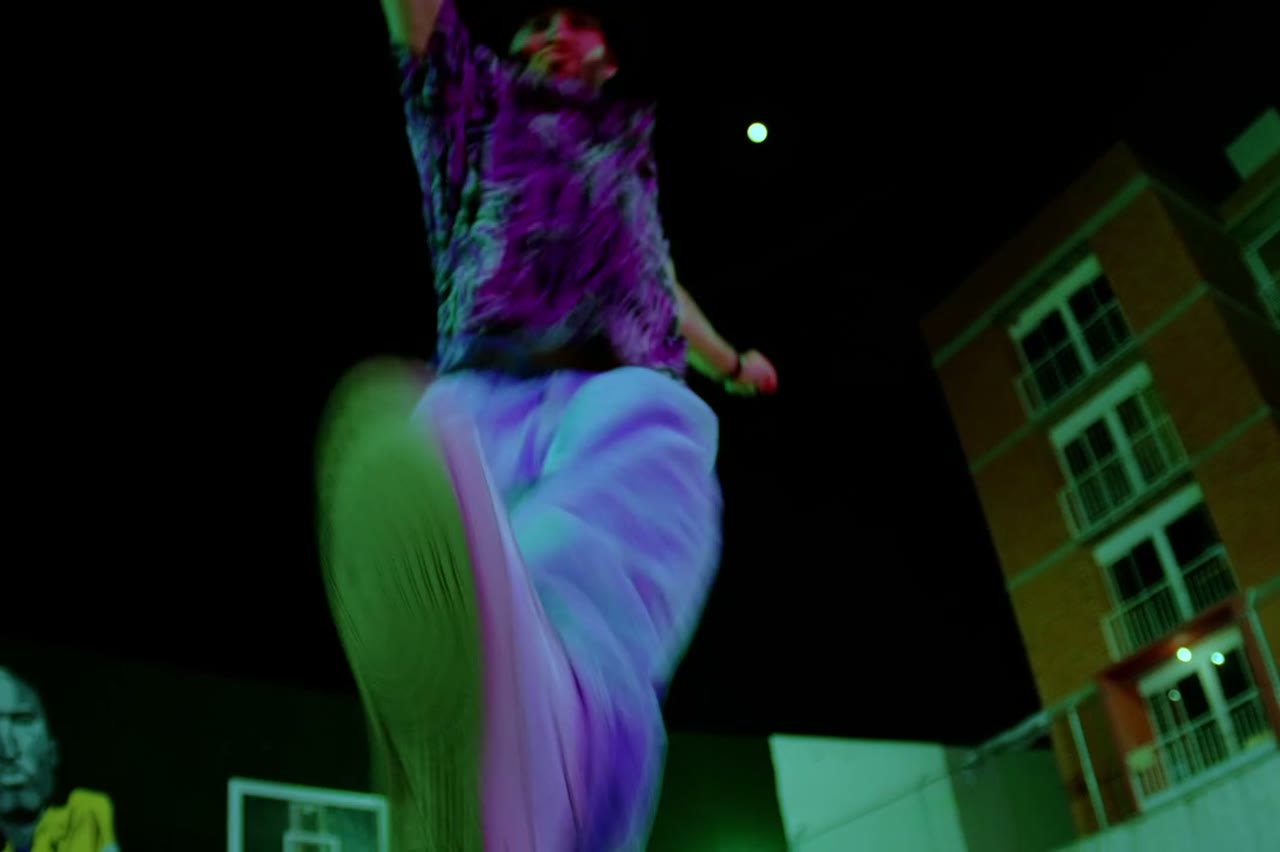
Use the person in the uploaded photo as the lead performer. An empty rooftop car park at night, wet concrete reflecting orange sodium lights, a loose circle of six silhouetted figures clapping. The rapper walks into the centre of the circle and performs, turning slowly to face the camera. One continuous low-angle tracking shot that circles the performer at knee height, ending on a medium close-up. Keep the face, hair, outfit and body proportions exactly as photographed. No fighting, no extra foreground people, no text, no watermark, no logo. Vertical 9:16.

Use in studio

Duo Stage

Two rappers trade verses on a small club stage.

Prompt (English)

Use the two people in the uploaded photos as the only performers. A small club stage at night, purple and magenta lights cutting through haze, a packed crowd in silhouette at the front. The two rappers stand side by side trading verses, one gesturing to the crowd while the other nods to the beat. One continuous handheld shot at chest height that pushes in from the back of the stage to a tight two-shot, then drifts slightly right. Keep the faces, hair, outfits, skin tone and body proportions exactly as photographed. No lip-sync mismatch, no extra people, no text, no watermark, no logo. Vertical 9:16.

Use in studio

What makes a portrait work for animation

The model needs edges and contrast. A sharp jawline, visible eyes and a clean separation between hair and background give it more to hold on to. Beauty filters that smooth skin also erase the small asymmetries that make a face recognisable.

Avoid photos where a hand covers the face, where the head is cropped, or where the subject is backlit into silhouette. Those images can still produce a striking clip, but the person will drift. For likeness work, boring and clear beats cinematic and ambiguous.

How to describe performance without overloading the prompt

Use one action, one camera move and one light source. For example: leans into a condenser mic, slow dolly-in, warm key from the left. That is enough. Adding a crowd, a car, a wardrobe change and a camera orbit in the same five seconds gives the model too many things to keep consistent.

Performance is more than dancing. A nod, a hand on the chest, a step toward camera or a look down the lens all read as presence. Small, specific actions survive a short render better than large choreography.

Where the output fits in a real release

Use the clip as a teaser, a lyric post, a Spotify canvas experiment or a pitch visual. It can also serve as an animatic: a cheap way to show a director or stylist the framing you want before the shoot.

Label it as AI-generated when the audience could mistake it for footage of a real event. The performance is synthetic even when the face is real, and platforms increasingly expect that disclosure.

Questions people ask

What photo works best for image to rap video?

A sharp, evenly lit portrait with the whole face visible. Front-facing or a slight three-quarter turn. Avoid sunglasses, heavy filters and deep shadows across the eyes.

Can I use a photo taken on a phone?

Yes. Clarity matters more than camera price. If the eyes and hairline are sharp and the face is not blown out, a modern phone photo is enough.

Will the original background appear?

No. The prompt describes a new scene and the model relights the subject. That is why a plain background is not a disadvantage.

Can I keep the exact outfit from the photo?

Usually yes for a simple outfit with clear colours. Logos, fine patterns and jewellery are the details most likely to drift.

How many photos can I upload?

One per performer. For a duo, upload two separate portraits. More photos of the same person do not reliably improve likeness in a single render.

Is the person in the video really me?

It is an AI-generated performance that uses your photo as a reference. The face is derived from the image, but the motion and scene are synthetic.

Can I animate a photo of someone else?

Only with their permission. You are responsible for having the rights to any face you upload, especially for commercial use.

Turn your photo into a clip

Start with the preset on this page, or write your own shot. Credits are shown before you generate, and failed renders are refunded.